
1. Open a web browser. TeamViewer will need to be installed on both the computer you are accessing remotely and the computer you're using. The same program is installed on both.
2. Visit the Teamviewer Website. https://www.teamviewer.com/en-us/
(hold down CTRL and Click the Link, or copy and paste into your web browser)

3. Click the "Download for Free" Button.

4. Click the downloaded installer. You'll see this at the bottom of your browser window, or you can find it in your Downloads folder.

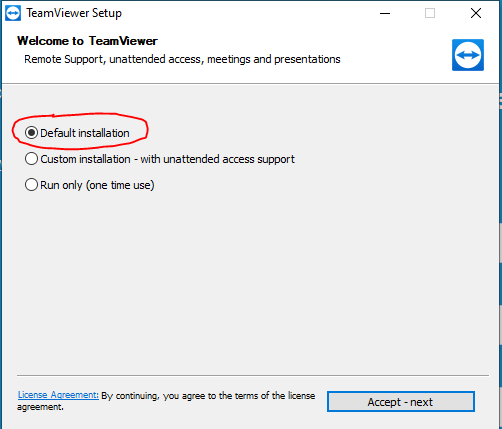
5. Click the Default installation option. This will install TeamViewer for either accepting remote connections or connecting remotely.
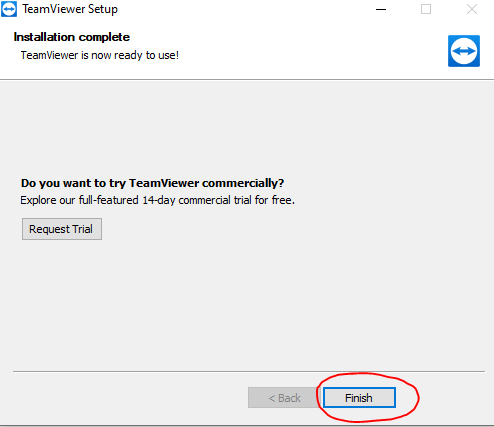
7. Click Finish.
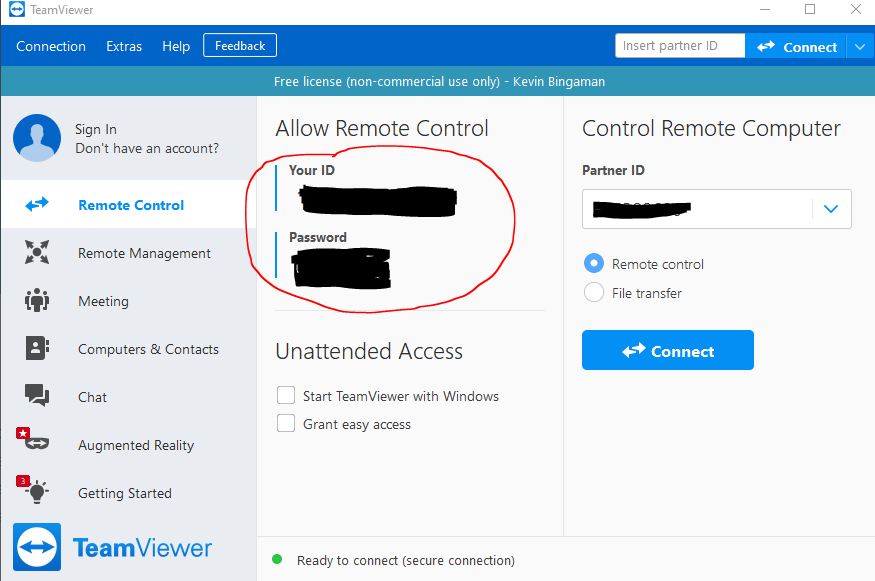
8. Your ID and Password. This is where you will find the information to give to an IT support team member upon request.
Comments
0 comments
Article is closed for comments.